


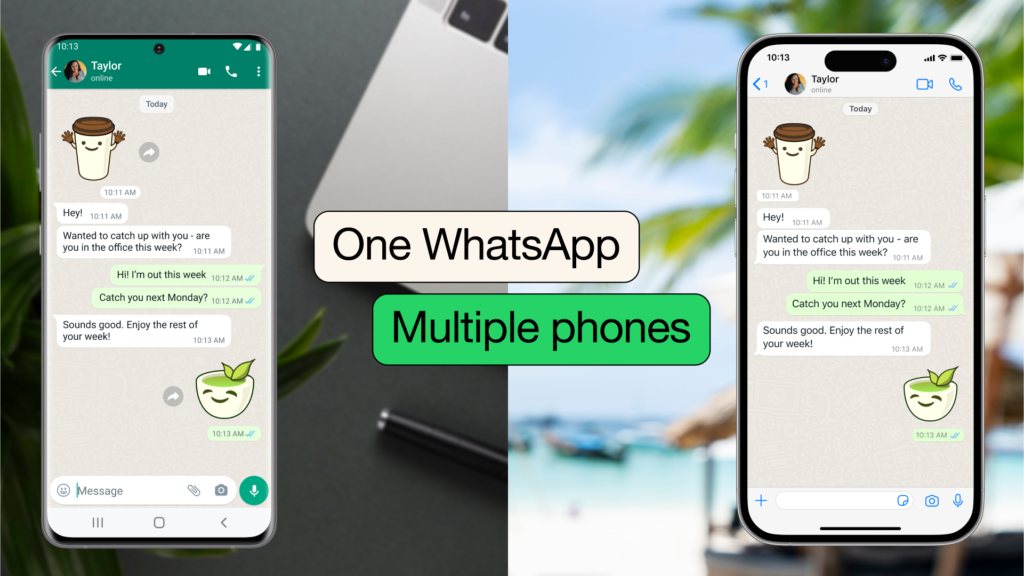
The most used social media app in the world has taken its flexibility level up a notch with the introduction of ‘WhatsApp on two phones’ that would enable users to have their accounts linked to multiple devices.
Before the advent of this feature last year, users of the green app had always clamoured for a feature like this, as their accounts were only accessible on a mobile phone at a time, making it difficult for those who needed to use their accounts on multiple devices simultaneously.
As you already know, A WhatsApp account is linked to a phone number and it had always been one account per device. This new feature means you can use your WhatsApp account on two phones.
Before this update, users could use the same WhatsApp account on a web version of WhatsApp, either through a computer or the browser on a secondary device. This update makes it possible for the app to work seamlessly across multiple phones with real-time syncing.
Every new update comes with its own pros and cons, and the introduction of ‘WhatsApp on two phones’ is no exception;
Benefits Of Using WhatsApp On Two Phones
-In an emergency or an urgent situation where one phone dies, one needs not panic as you can still log into your account from another device. This flexibility allows one to stay connected with contacts.
-It helps users to log out from their account remotely with great control over their account.
-It is also a great business for businesses as it enables employees of a franchise or companies to respond to messages from anywhere. As a result, makes it convenient for the business and makes them more accessible to their customers.
Cons Of ‘WhatsApp On Two Phones’
-Using a WhatsApp account on multiple devices can be risky as it gives room for anybody to access one’s info.
-It is no news that hackers have been on neck and neck with WhatsApp users, this new update could make it easier for them.
However, the meta-owned app has always been updating its security features and protocols against cyber attacks like chats and messages being end-to-end encrypted.
Official Methods For Using WhatsApp On Two Phones
Companion mode- This 10-month-old feature enables users to use a WhatsApp account on two devices at the same time. This makes it possible for users to switch devices without any loss of their chats or media, as it securely syncs your messages across the devices irrespective of the user’s operating system.
Step-by-Step Guide To Using Companion Mode
One thing the user needs to make sure is to make sure they have the latest version of the app on the two devices and have them configured.

Once the user is done with the configuration on both devices, below are the steps they need to follow to have their WhatsApp on two phones;
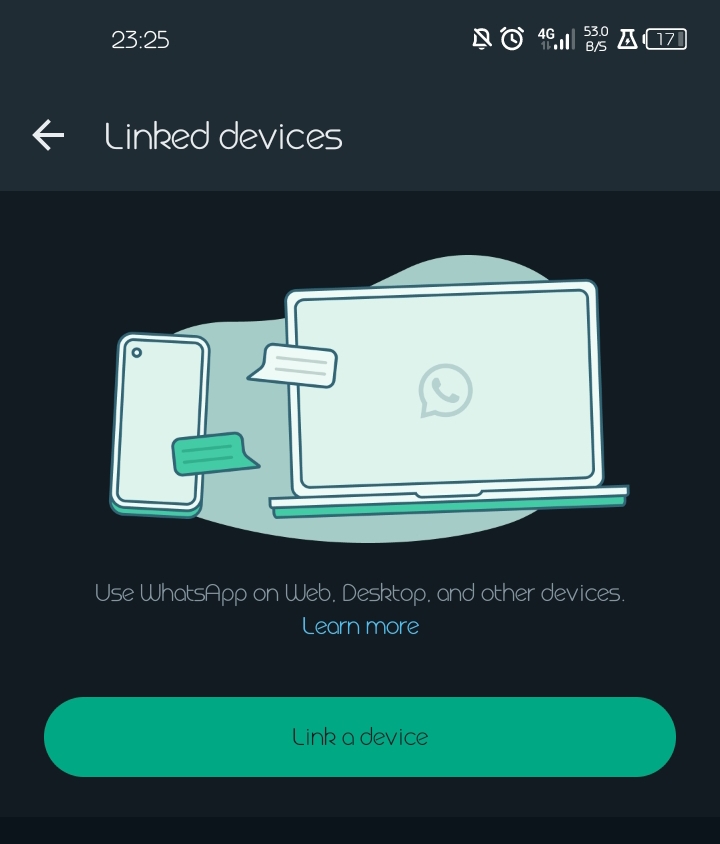
- Step 1: Open WhatsApp on any device and go to settings
- Step 2: Click on WhatsApp web and select “Link a Device”
- Step 3: On the second device, open a web browser and go to web.whatsapp.com.
- Step 4: Click on the three dots in the top right corner and select “WhatsApp Web”
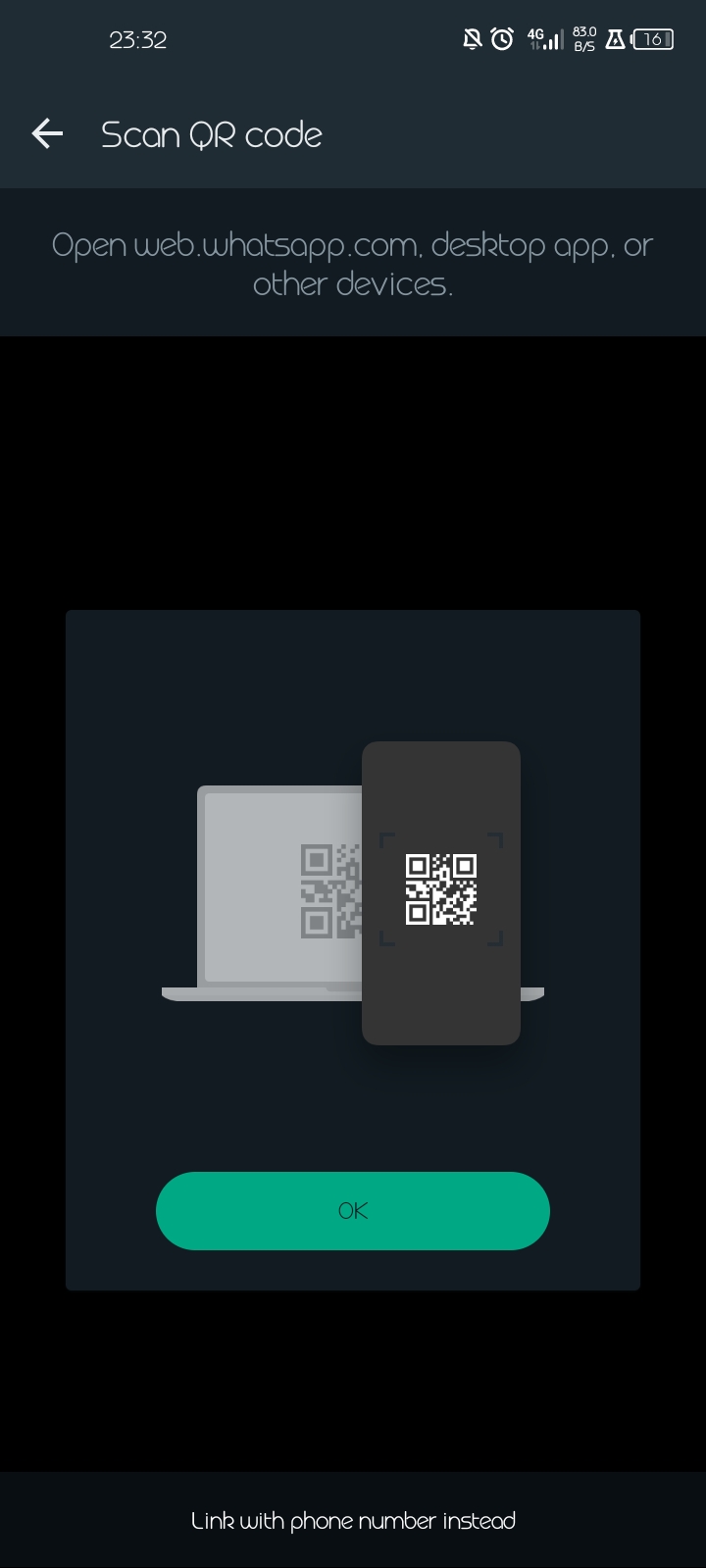
- Step 5: Scan the QR code on the web browser with the (step 1) device
- Step 6: Wait for a few seconds and the second device will automatically sync with your WhatsApp account.
- Step 7: Now you can use WhatsApp on both devices at the same time.
Limitations Of This Method
-WhatsApp companion mode is primarily designed for IOS devices but some Android devices may support, check your devices compatibility in the setting.
-It is also subject to device compatibility, as some features may not be available on the companion device.
-If you log out of WhatsApp on your primary device. It will also log you out of companion mode on your companion device.
Linked Devices
As you read in the fourth paragraph, users could only view their chats and accounts on the WhatsApp web or a desktop/computer. It is an extension of the WhatsApp account on your phone. Your sent and received messages are synced between your phone and computer. And can be viewed on both devices.
The web WhatsApp has a lot of limitations compared to its counterpart as it doesn’t allow for some major features on the secondary device. It is dependent on the primary device.
Unofficial Methods For Using WhatsApp On Two Phones (Disclaimer)
There are popular methods in which you can have your account linked to multiple devices.
Users bypass the protocols laid down by the app. They do it either by cloning their account or using a third-party app. These methods are risky, as they make it a fertile ground for cyber attacks. They are also in violation of WhatsApp privacy and security protocols.
As a result, you will have your account suspended or banned from the platform. It is best to follow the official protocol and instructions given by the platform.
Additional Tips And Tricks
Here are some tips for managing notifications and data usage on WhatsApp;
-Notifications: Go to your settings and click on ‘notifications’. There you can manage various forms of notifications on the app
-Data usage: Turn off media auto-downloads, turn on your ‘low data usage’ mode, restrict chat backup, monitor data usage use.
If you also have problems connecting to WhatsApp; Restart your device by turning it off and on again. Make sure mobile data is turned on. Turn airplane mode on & off. If you network is down, you could get on a wifi. Turn off roaming. etc.
Conclusion
‘WhatsApp on two phones’ is indeed a good feature that gives businesses the accessibility and flexibility they need.
It gives personal users the convenience and opportunity to have a functional and limitless ‘double-bodied’ account in emergencies.
Also, the ‘companion mode’ method for the past months has proven to be the secure and trustworthy method to have your account linked to multiple devices.
WhatsApp has given its users a hard-to-come-by feature on any social media platform. If you are yet to experience it, what are you waiting for?!